1. ကုန်ပစ္စည်းကျော်view
The Sharp Digital Alarm Clock (Model SPC483CAMZ) is a compact, battery-operated alarm clock designed for simplicity and ease of use. Its tactile rubberized finish provides a comfortable grip and durability. Key features include a large LCD display, an on-demand blue backlight for night viewing, and an ascending alarm with a snooze function.

ပုံ 1: ရှေ့ view of the Sharp Digital Alarm Clock, displaying the time.
2. အင်္ဂါရပ်များ
- Tactile Rubberized Finish: Provides a comfortable and secure grip, reducing the chance of accidental drops.
- Large 1" LCD Display: Ensures clear visibility of the time from a distance.
- On-Demand Blue Backlight: Press the snooze button to illuminate the display for 5 seconds, ideal for night-time viewing without disturbing sleep.
- အတက်အကျ နှိုးဆော်သံ- The alarm sound gradually increases in volume to provide a gentle wake-up experience.
- 5-Minute Snooze Function: Allows for additional sleep time by pressing the snooze button when the alarm sounds.
- Easy-to-Use Top Button Controls: Intuitive button layout for straightforward time and alarm setting.
- ဘက်ထရီလည်ပတ်သည်- Requires 2 AAA batteries (not included), offering portability and freedom from power outlets.

Figure 2: Visual representation of the alarm clock's main features.
3. စနစ်ထည့်သွင်းပါ။
3.1 ဘက်ထရီ တပ်ဆင်ခြင်း။
- နာရီ၏နောက်ဘက်တွင်ဘက်ထရီအဖုံးကိုရှာပါ။
- အဖုံးကို ပွတ်ပေးပါ။
- Insert two (2) AAA batteries (not included) into the compartment, ensuring correct polarity (+/-).
- ဘက်ထရီအဖုံးကို အစားထိုးပါ။

ပုံ 3- အပေါ် view of the clock with labeled buttons for setup and operation.
4. လုပ်ငန်းဆောင်ရွက်မှုညွှန်ကြားချက်များ
၃.၂ အချိန်ချိန်ညှိခြင်း
- Press and hold the "TIME SET" button (leftmost button on top). The time display will begin to flash.
- While holding "TIME SET", press the "HR" button (second from right) to adjust the hour. Note the PM indicator for afternoon hours.
- While holding "TIME SET", press the "MIN" button (rightmost button) to adjust the minutes.
- Release the "TIME SET" button to save the current time.
4.2 နှိုးစက်သတ်မှတ်ခြင်း
- Press and hold the "ALARM SET" button (second from left on top). The alarm time display will begin to flash.
- While holding "ALARM SET", press the "HR" button to adjust the alarm hour.
- While holding "ALARM SET", press the "MIN" button to adjust the alarm minutes.
- Release the "ALARM SET" button to save the alarm time.
4.3 Turning Alarm On/Off
- To turn the alarm ON, slide the "ALARM ON/OFF" switch (far right on top) to the 'ON' position. A bell icon will appear on the display.
- To turn the alarm OFF, slide the "ALARM ON/OFF" switch to the 'OFF' position. The bell icon will disappear.
4.4 Using the Snooze/Backlight
- When the alarm sounds, press the large "SNOOZE/BACKLIGHT" button (center top) to activate the snooze function for 5 extra minutes of sleep.
- To activate the blue backlight at any time, simply press the "SNOOZE/BACKLIGHT" button. The display will illuminate for 5 seconds and then turn off automatically to conserve battery life.
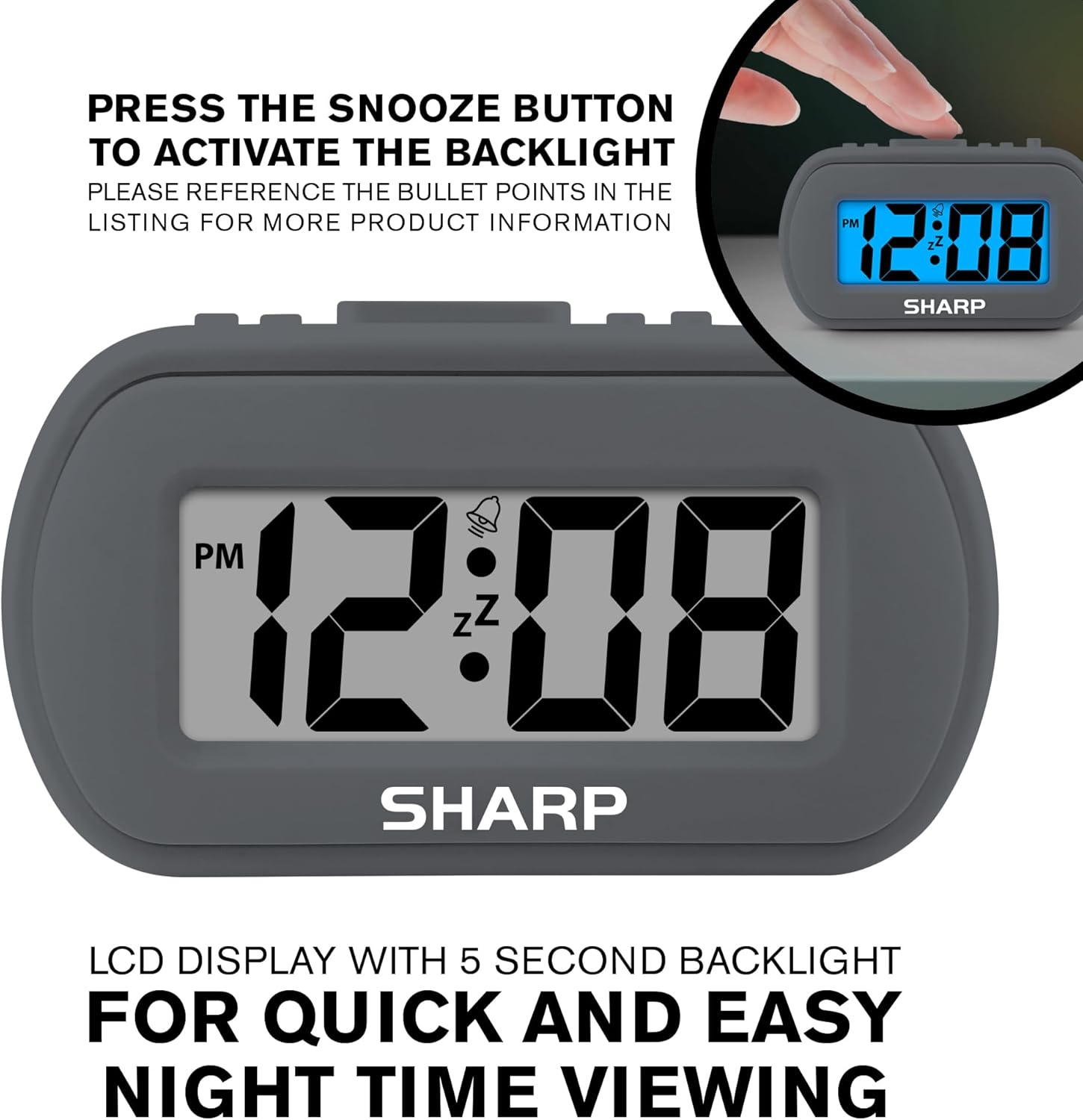
Figure 4: Activating the blue backlight by pressing the snooze button.
5. ပြုပြင်ထိန်းသိမ်းမှု
5.1 သန့်ရှင်းရေး
To clean the clock, wipe it with a soft, dry cloth. Do not use abrasive cleaners or solvents, as they may damage the surface or internal components.
5.2 ဘက်ထရီ အစားထိုးခြင်း။
When the display becomes dim or the alarm function weakens, it is time to replace the batteries. Follow the battery installation steps in Section 3.1.
၃
| ပြဿနာ | ဖြေရှင်းချက် |
|---|---|
| နာရီ မျက်နှာပြင်သည် မှိန်နေသည် သို့မဟုတ် ဗလာဖြစ်နေသည်။ | Replace the AAA batteries. Ensure correct polarity. |
| နှိုးစက် အသံမမြည်ပါ။ | Check if the "ALARM ON/OFF" switch is in the 'ON' position. Ensure batteries are fresh. Verify alarm time is set correctly. |
| အချိန်မမှန်ပါ။ | Reset the time using the "TIME SET", "HR", and "MIN" buttons as described in Section 4.1. |
7. သတ်မှတ်ချက်များ
- မော်ဒယ်- SPC483CAMZ
- အမှတ်တံဆိပ်- ထက်ထက်
- ပြသမှုအမျိုးအစား- ဒီဂျစ်တယ် LCD
- အတိုင်းအတာ (L x W x H): 4" x 1.7" x 2.3" လက်မ
- အလေးချိန်- ၀၃၅ အောင်စ
- ပါဝါအရင်းအမြစ်- 2 x AAA ဘက်ထရီ (မပါဝင်ပါ)
- ပစ္စည်း- Plastic frame with Rubberized finish
- အထူးအင်္ဂါရပ်များ- On-Demand Blue Backlight, Ascending Alarm, Snooze Function
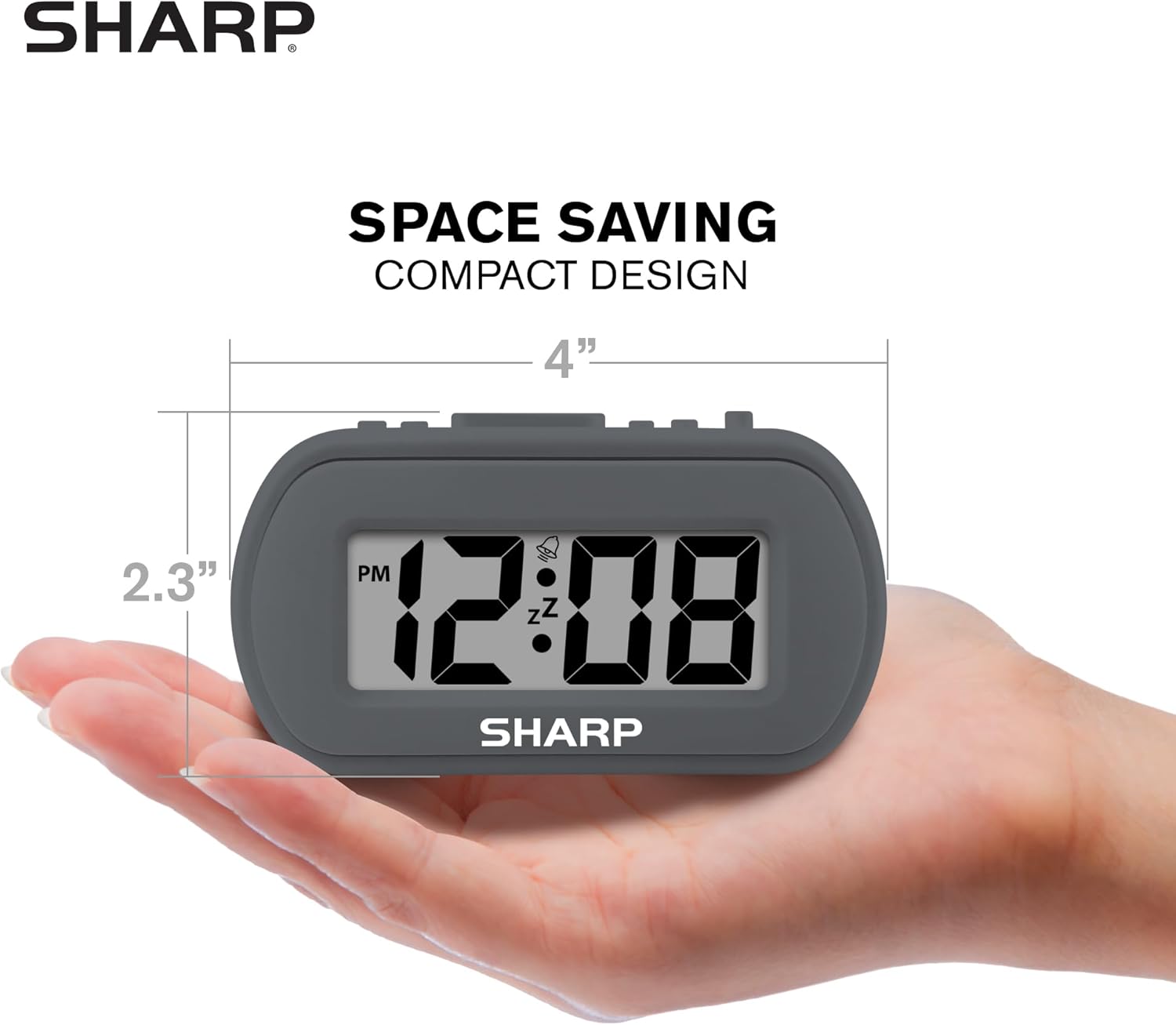
Figure 5: The compact size of the alarm clock, fitting in the palm of a hand.
8. အာမခံနှင့် ပံ့ပိုးမှု
For warranty information or technical support, please refer to the product packaging or contact Sharp customer service directly. Contact details can typically be found on the manufacturer's official webဆိုက် သို့မဟုတ် ထုတ်ကုန်၏ လက်လီ စာမျက်နှာပေါ်တွင်။
For further assistance, you may visit the official Sharp store on Amazon: Sharp စတိုး


