1. ကုန်ပစ္စည်းကျော်view
The MaximalPower Foam & Felt Filter Kit is designed to replace the pre-motor filters in your Shark NV600 Professional Vacuum Cleaner. This kit includes one foam filter and one felt filter, which work together to capture dust and allergens, contributing to cleaner exhaust air and maintaining your vacuum's suction performance.

This image displays the MaximalPower Foam & Felt Filter Kit, consisting of one circular foam filter and one flat felt filter, both essential components for your vacuum's filtration system.
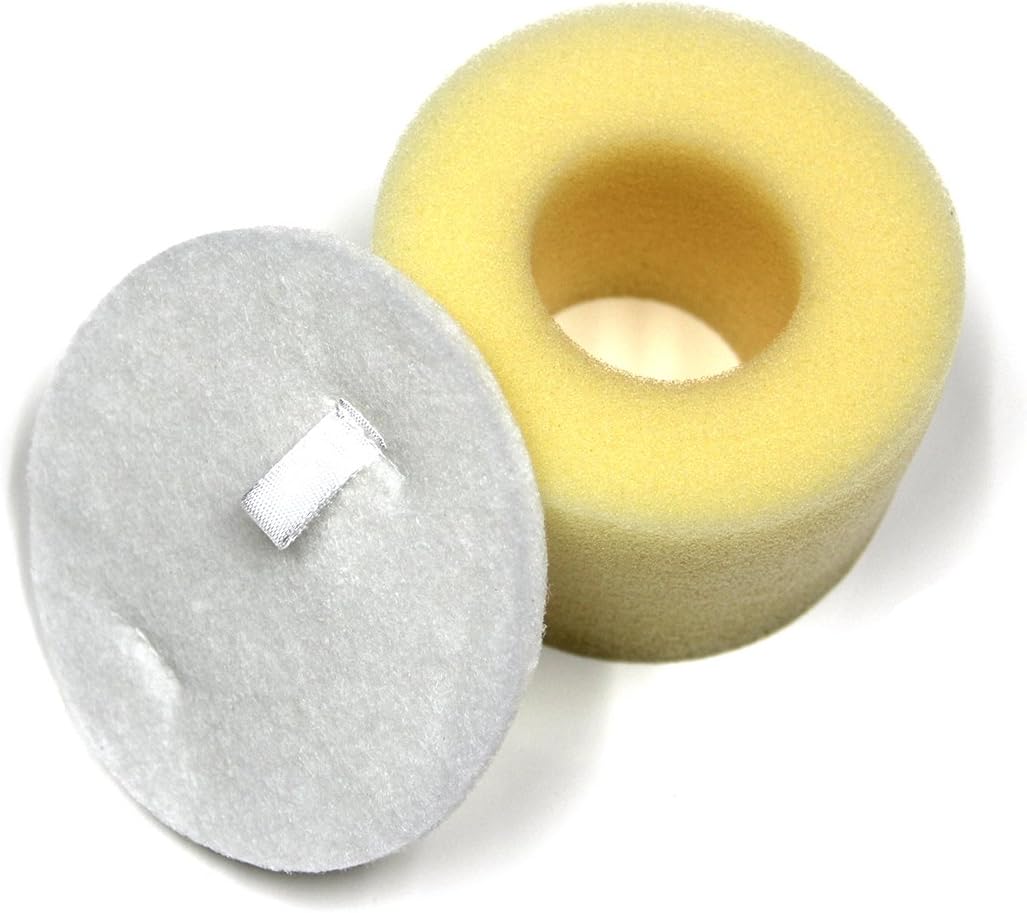
Aနီးနား view of the two filter components: the cylindrical foam filter and the flat, circular felt filter.
2. တပ်ဆင်ခြင်း ညွှန်ကြားချက်များ
Follow these steps to properly install your new MaximalPower foam and felt filters. For specific details on accessing your vacuum's filter compartment, refer to your Shark NV600 Professional Vacuum Cleaner's original user manual.
- ဘေးကင်းရေး ပထမ၊ Always ensure your vacuum cleaner is turned off and unplugged from the power outlet before attempting any maintenance or filter replacement.
- Filter Compartment ကို ရှာပါ- The pre-motor filters are typically located beneath the dust cup assembly on the main body of the vacuum.
- စစ်ထုတ်မှုများကို ဖယ်ရှားရန်- Open the filter compartment and carefully remove the existing foam and felt filters. Dispose of them responsibly if they are no longer usable.
- Insert New Felt Filter: Place the new MaximalPower felt filter into the compartment first, ensuring it lies flat and covers the entire base.
- Insert New Foam Filter: Position the new MaximalPower foam filter directly on top of the felt filter. Ensure it fits snugly into its designated space.
- လုံခြုံသောအခန်း- Close the filter compartment securely. Ensure all latches or covers are properly fastened before operating the vacuum.
3. ထိန်းသိမ်းခြင်းနှင့် သန့်ရှင်းရေး
Regular cleaning of your MaximalPower foam and felt filters is crucial for maintaining optimal vacuum performance and extending filter lifespan. These filters are reusable and washable.
သန့်ရှင်းရေးအကြိမ်ရေ-
- Clean filters every 3 to 6 months, or more frequently with heavy use.
- Replace filters every 1 to 2 years, or if they show signs of damage, wear, or cannot be cleaned effectively.
သန့်ရှင်းရေးအဆင့်များ
- စစ်ထုတ်မှုများကို ဖယ်ရှားရန်- Turn off and unplug the vacuum. Remove the foam and felt filters as described in the installation section.
- Tap Off Debris: Gently tap the filters over a trash can to remove loose dirt and debris.
- စစ်ထုတ်မှုများကို ဆေးကြောပါ- Rinse both filters under running tap water until the water runs clear. Do not use soap or detergents.
- Squeeze Excess Water: Gently squeeze the foam filter to remove excess water. Do not twist or wring the felt filter.
- လေကို လုံးဝခြောက်သွေ့စေသည်- Allow both filters to air dry completely for at least 24 hours before reinstallation. Ensure they are လုံးဝခြောက်သွေ့ to prevent mold growth and damage to the vacuum. Do not use a clothes dryer, hairdryer, or any other heat source.
- ပြန်လည်ထည့်သွင်းပါ- Once completely dry, reinstall the filters into your vacuum cleaner following the installation instructions.
4. သတ်မှတ်ချက်များ
| အမှတ်တံဆိပ် | MaximalPower |
| မော်ဒယ်နှင့်လိုက်ဖက်မှု | Shark NV600 Professional Vacuum |
| အစိတ်အပိုင်းများ | 1 Foam Filter, 1 Felt Filter |
| ပစ္စည်း | Foam, Felt |
| ပြန်သုံးနိုင်မှု | Washable and Reusable |
| UPC | 750408360519 |
၃
- စုပ်ယူမှုကို လျှော့ချသည်- If your vacuum's suction power decreases, check if the foam and felt filters are dirty or wet. Ensure they are completely dry and properly installed.
- ပုံမှန်မဟုတ်သောအနံ့များ Persistent odors from the vacuum may indicate that the filters need cleaning or replacement. Follow the cleaning instructions thoroughly.
6. အာမခံနှင့် ပံ့ပိုးမှု
This MaximalPower Foam & Felt Filter Kit is a generic replacement part and is not manufactured by Shark. Therefore, it is not covered under any Shark manufacturer's warranty. For any warranty inquiries or product support related to this MaximalPower filter kit, please contact MaximalPower directly through their official channels.

