
နိဒါန်း
This manual provides essential information for setting up, operating, and maintaining your paitanry 10.1 Inch Android Tablet. Please read this manual thoroughly before using your device to ensure proper function and longevity.
The paitanry 10.1 Inch Android Tablet (Model G80) features the Android 15 operating system, an octa-core MediaTek Helio G80 processor, 12GB RAM, and 128GB internal storage. It is equipped with a 10.1-inch In-Cell IPS display, dual cameras (5MP front, 13MP rear), dual-band Wi-Fi, Bluetooth 5.0, and an 8000mAh battery with 18W fast charging support.
Package Contents
ပက်ကေ့ဂျ်တွင် ပစ္စည်းအားလုံး ပါဝင်ကြောင်း အတည်ပြုပါ-
- 1 × paitanry 10.1 Inch Android Tablet
- 1 × Protective Case
- 1 × 9V/2A Fast Charger
- 1 × Dual Type-C Data Cable
- 1 × OTG Adapter
- 1 × အသုံးပြုသူလက်စွဲ (ဤစာရွက်စာတမ်း)

Image: The paitanry 10.1 Inch Android Tablet shown with its included protective case, charger, and cables.
တည်ဆောက်သည်
1. တက်ဘလက်အား အားသွင်းခြင်း။
Before first use, fully charge the tablet. Connect the provided Type-C data cable to the tablet's USB-C port and the 9V/2A fast charger. Plug the charger into a power outlet. The battery icon on the screen will indicate charging status.
The 8000mAh battery supports up to 8 hours of mixed use. 18W PD fast charging allows for efficient recharging.

Image: Visual representation of the tablet's powerful 8000mAh battery and its estimated usage duration for various activities like gaming, online video, web surfing, music, and e-books.
2. ပါဝါဖွင့်/ပိတ်ပါ။
- ပါဝါဖွင့်ရန်- Press and hold the Power button located on the side of the tablet until the paitanry logo appears on the screen.
- ပါဝါပိတ်ရန်- ပါဝါမီနူးပေါ်လာသည်အထိ ပါဝါခလုတ်ကို ဖိထားပါ။ ရွေးချယ်စရာများမှ "ပါဝါပိတ်ရန်" ကို ရွေးချယ်ပါ။
- ပြန်လည်စတင်ရန်- ပါဝါမီနူးပေါ်လာသည်အထိ ပါဝါခလုတ်ကို ဖိထားပါ။ ရွေးချယ်စရာများမှ "ပြန်လည်စတင်ရန်" ကို ရွေးချယ်ပါ။
3. ကနဦးသတ်မှတ်မှု
ပထမဆုံး ပါဝါဖွင့်ပြီးသောအခါ၊ တက်ဘလက်သည် သင့်အား ကနဦးတပ်ဆင်မှုလုပ်ငန်းစဉ်ကို လမ်းညွှန်ပေးမည်ဖြစ်သည်။ မျက်နှာပြင်ပေါ်ရှိ အချက်ပြချက်များကို လိုက်နာပါ-
- သင့်ဘာသာစကားကို ရွေးချယ်ပါ။
- Wi-Fi ကွန်ရက်သို့ ချိတ်ဆက်ပါ။
- သင့် Google အကောင့်ဖြင့် ဝင်ရောက်ပါ သို့မဟုတ် အသစ်တစ်ခု ဖန်တီးပါ။
- မျက်နှာပြင်လော့ခ်ကို စနစ်ထည့်သွင်းပါ (ပင်နံပါတ်၊ ပုံစံ၊ စကားဝှက်)။
- Review စည်းကမ်းသတ်မှတ်ချက်များကို လက်ခံပါ။
လည်ပတ်မှုညွှန်ကြားချက်များ
1. အခြေခံလမ်းညွှန်
- ထိပါ အိုင်ကွန်တစ်ခု သို့မဟုတ် ရွေးစရာတစ်ခုကို နှိပ်ပါ။
- ပွတ်ဆွဲ မျက်နှာပြင်များကြားတွင် လှိမ့်ရန် သို့မဟုတ် သွားလာရန် သင့်လက်ချောင်းကို ဖန်သားပြင်ပေါ်တွင် ဖိဆွဲပါ။
- Pinch-to-Zoom- Place two fingers on the screen and move them apart or together to zoom in or out.
- ပင်မခလုတ်- ပင်မစခရင်သို့ ပြန်သွားသည်။
- နောက်ပြန်ခလုတ်- ယခင်မျက်နှာပြင်သို့ ပြန်သွားသည်။
- လတ်တလော အက်ပ်များ ခလုတ်- Displays recently opened applications.
2. ဝိုင်ဖိုင်ချိတ်ဆက်မှု
Wi-Fi ကွန်ရက်သို့ ချိတ်ဆက်ရန်-
- သွားပါ။ ဆက်တင်များ > ကွန်ရက်နှင့် အင်တာနက် > ဝိုင်ဖိုင်.
- Wi-Fi ကိုပြောင်းပါ။ On.
- စာရင်းထဲမှ သင်အလိုရှိသော ကွန်ရက်ကို ရွေးချယ်ပါ။
- စကားဝှက်ကို ရိုက်ထည့်ရန် တောင်းဆိုပါက၊ ထို့နောက် ကို နှိပ်ပါ ချိတ်ဆက်ပါ။.
The tablet supports dual-band Wi-Fi (802.11ac) for stable and fast internet connectivity.
၃။ Bluetooth ဆက်သွယ်မှု
Bluetooth ကိရိယာတစ်ခုနှင့်တွဲရန်:
- သွားပါ။ ဆက်တင်များ > ချိတ်ဆက်ထားသော စက်များ > ဘလူးတုသ်.
- ဘလူးတုသ်ကို ပြောင်းပါ။ On.
- သင်၏ Bluetooth စက်ပစ္စည်းသည် တွဲချိတ်ခြင်းမုဒ်တွင် ရှိနေကြောင်း သေချာပါစေ။
- Select the device from the "Available devices" list and follow any on-screen prompts to complete pairing.
The tablet features Bluetooth 5.0 for efficient wireless connections.
4. ကင်မရာအသုံးပြုမှု
The tablet is equipped with a 5MP front camera and a 13MP rear camera.
- ကိုဖွင့်ပါ။ ကင်မရာ လျှောက်လွှာ။
- ရှေ့နှင့်နောက်ကင်မရာများအကြားပြောင်းရန် ကင်မရာအိုင်ကွန်ကို နှိပ်ပါ။
- ဓာတ်ပုံရိုက်ရန် သို့မဟုတ် ဗီဒီယိုရိုက်ကူးမှု စတင်/ရပ်ရန် ရှပ်တာခလုတ်ကို နှိပ်ပါ။
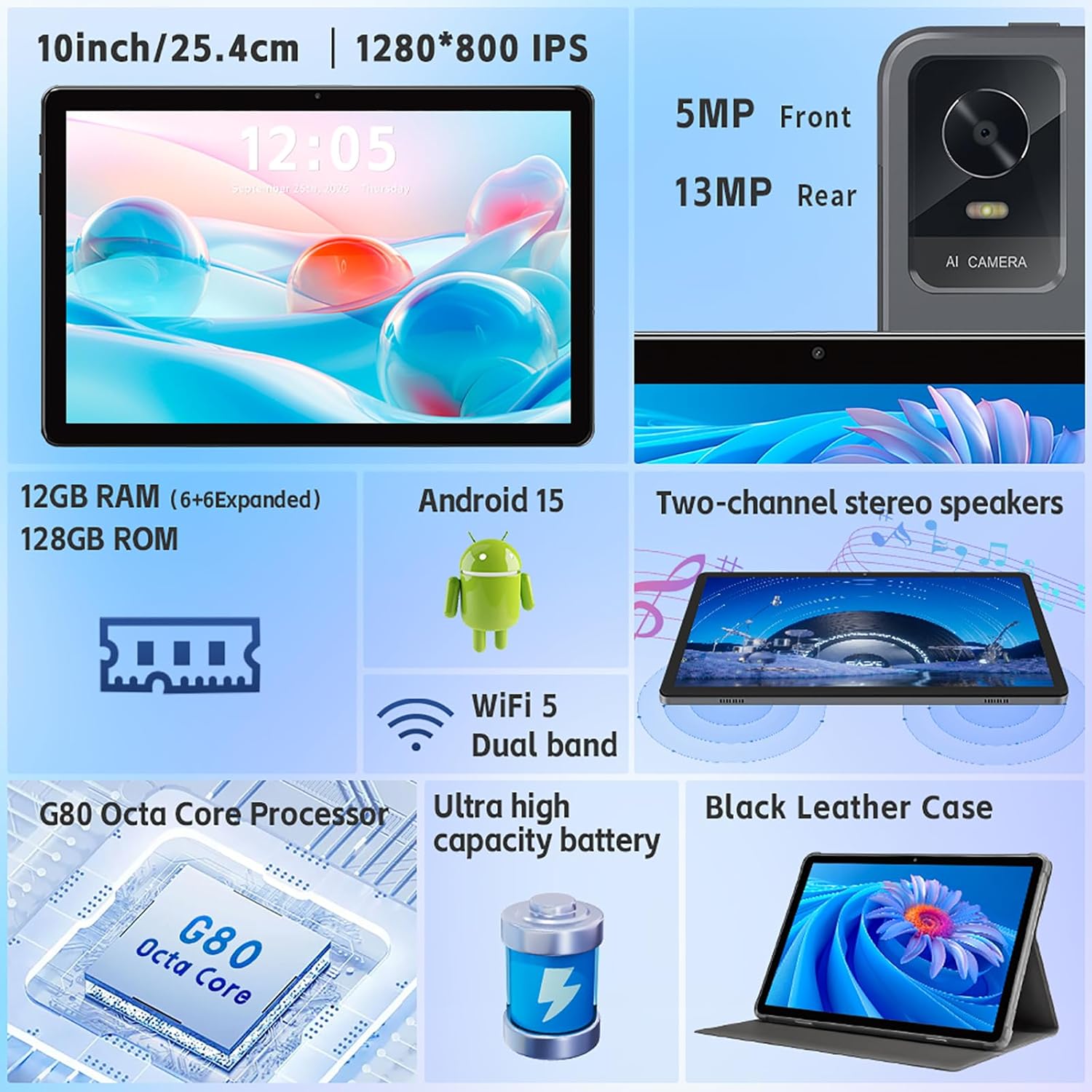
ပုံ : တစ်အုပ်view of the tablet's features, including the 5MP front camera and 13MP rear camera, 12GB RAM, 128GB ROM, Android 15, Wi-Fi 5 Dual band, G80 Octa Core Processor, and ultra-high capacity battery.
5. သိုလှောင်မှုစီမံခန့်ခွဲမှု
The tablet has 128GB of internal storage. You can expand storage up to 2TB using a Micro SD card (sold separately).
- To insert a Micro SD card: Locate the card slot on the side of the tablet. Gently insert the Micro SD card until it clicks into place.
- To manage storage: သွားပါ။ ဆက်တင်များ > သိုလှောင်မှု ရန် view သိုလှောင်မှုအသုံးပြုမှုနှင့် စီမံခန့်ခွဲခြင်း files.
6. Display ဆက်တင်များ
သင်၏ပြသမှုအတွေ့အကြုံကို စိတ်ကြိုက်ပြင်ဆင်ပါ-
- သွားပါ။ ဆက်တင်များ > ပြသခြင်း။.
- Adjust brightness, dark theme, night light, and font size.
- Set screen timeout duration.
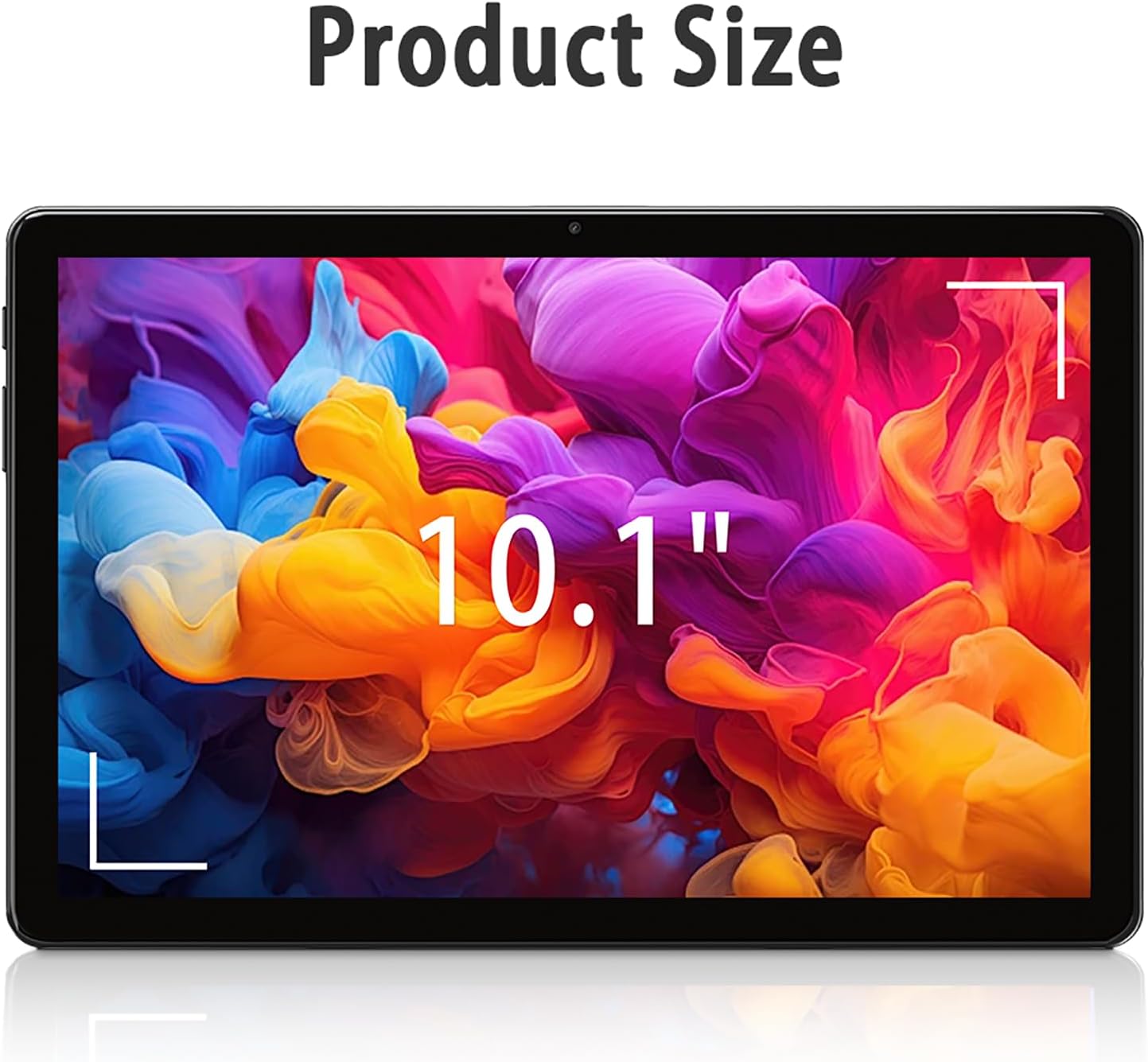
Image: The tablet screen showing "10.1"" to indicate its display size, with colorful abstract art on the screen.
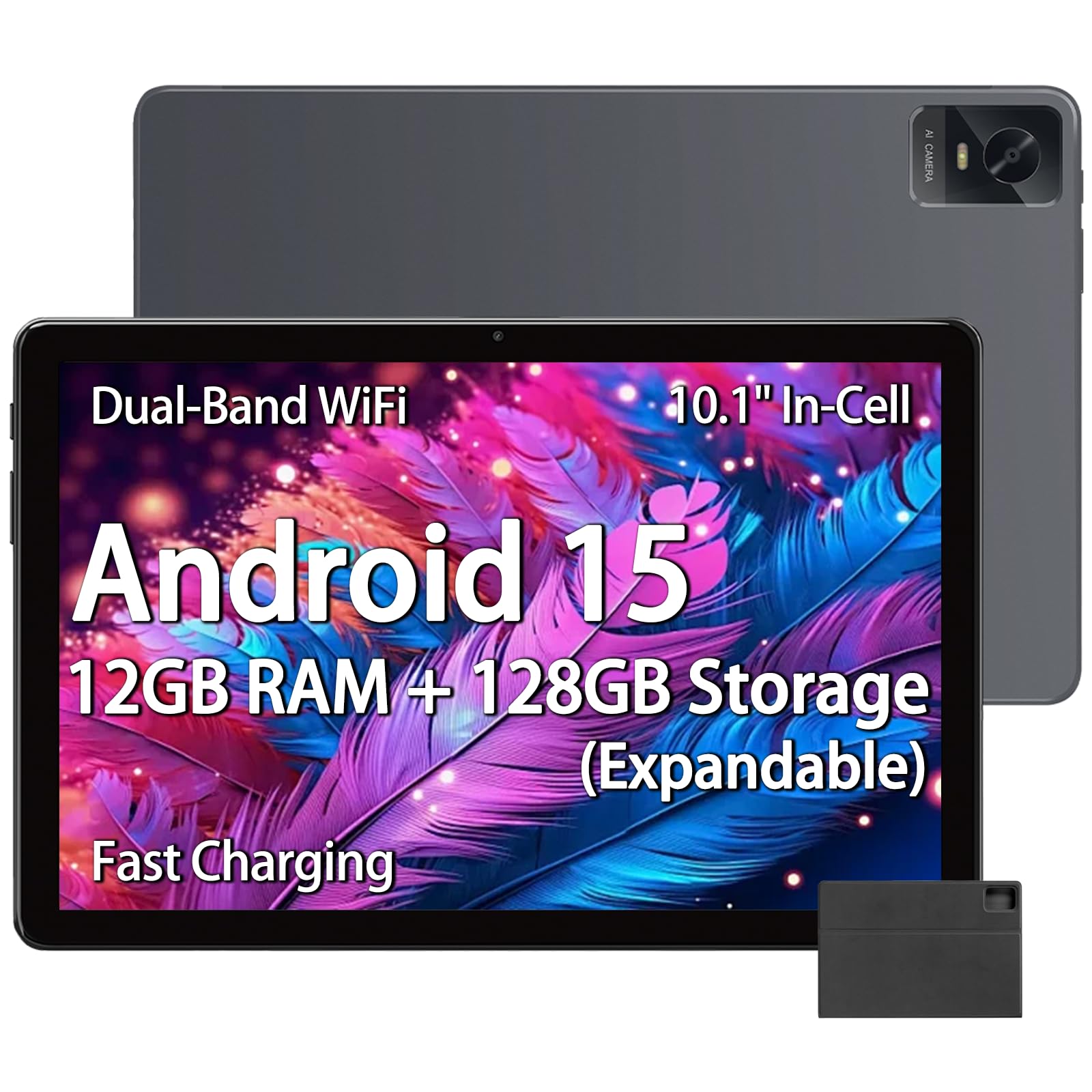
Image: The tablet displaying an image of penguins in an icy landscape, emphasizing its 16:10 aspect ratio and 10.1-inch 1280x800 HD In-Cell full lamination touchscreen for an immersive view.
7. အသံချိန်ညှိချက်များ
Adjust volume and sound preferences:
- သွားပါ။ ဆက်တင်များ > အသံနှင့် တုန်ခါမှု.
- Adjust media, call, ring, and alarm volumes.
- Select ringtones and notification sounds.
The tablet includes a 3.5mm headphone jack for wired audio accessories.
ထိန်းသိမ်းခြင်း။
၅.၁။ တက်ဘလက်ကို သန့်ရှင်းရေးလုပ်ခြင်း
- တက်ဘလက်၏ စခရင်နှင့် ကိုယ်ထည်ကို သန့်ရှင်းရန် ပျော့ပျောင်းသော ဖျတ်လတ်သော အဝတ်ကို အသုံးပြုပါ။
- ခေါင်းမာသော အညစ်အကြေးများအတွက် အနည်းငယ် ဃampအဝတ်ကို ရေ သို့မဟုတ် လျှပ်စစ်ပစ္စည်းအတွက် ဒီဇိုင်းထုတ်ထားသည့် စခရင်သန့်စင်ဆေးကို တပ်ဆင်ပါ။
- ပြင်းထန်သောဓာတုပစ္စည်းများ၊ အညစ်အကြေးပစ္စည်းများ သို့မဟုတ် အစိုဓာတ်လွန်ကဲစွာအသုံးပြုခြင်းကို ရှောင်ကြဉ်ပါ။
2. ဆော့ဖ်ဝဲ အပ်ဒိတ်များ
အကောင်းမွန်ဆုံး စွမ်းဆောင်ရည်၊ လုံခြုံရေးနှင့် ဝန်ဆောင်မှုအသစ်များကို အသုံးပြုခွင့်ရှိစေရန်အတွက် ဆော့ဖ်ဝဲအပ်ဒိတ်များကို ပုံမှန်စစ်ဆေးပြီး ထည့်သွင်းပါ။
- သွားပါ။ ဆက်တင်များ > စနစ် > စနစ်အပ်ဒိတ်.
- Follow the on-screen instructions to check for and install available updates.
3. ဘက်ထရီ ဂရုစိုက်ပါ။
- တက်ဘလက်ကို အလွန်အမင်း အပူချိန်များ (ပူ သို့မဟုတ် အအေး) နှင့် ထိတွေ့ခြင်းမှ ရှောင်ကြဉ်ပါ။
- ဘက်ထရီကို မကြာခဏ အားကုန်အောင် မသွင်းပါနှင့်။ ဘက်ထရီ ၂၀% အောက် မကျမီ အားသွင်းပါ။
- Use only the provided charger and cable or certified compatible accessories.
ပြသာနာရှာဖွေရှင်းပေးခြင်း
တက်ဘလက် မဖွင့်နိုင်ခြင်း
- တက်ဘလက်အား လုံလောက်စွာ အားသွင်းထားကြောင်း သေချာပါစေ။ အားသွင်းကိရိယာနှင့် အနည်းဆုံး မိနစ် 30 ချိတ်ဆက်ပါ။
- ပြန်လည်စတင်ရန် ပါဝါခလုတ်ကို 10-15 စက္ကန့်ကြာ ဖိထားပြီး ဖိထားပါ။
Wi-Fi ချိတ်ဆက်မှု ပြဿနာများ
- ဆက်တင်များတွင် Wi-Fi ကို ဖွင့်ထားခြင်း ရှိမရှိ စစ်ဆေးပါ။
- သင်၏ Wi-Fi ရောက်တာနှင့် တက်ဘလက်ကို ပြန်လည်စတင်ပါ။
- တက်ဘလက်ဆက်တင်များတွင် ကွန်ရက်ကိုမေ့ထားပြီး ပြန်လည်ချိတ်ဆက်ပါ။
- သင်သည် Wi-Fi အချက်ပြမှုအကွာအဝေးအတွင်းတွင် ရှိနေကြောင်း သေချာပါစေ။
စွမ်းဆောင်ရည် နှေးကွေးခြင်း။
- မလိုအပ်သော နောက်ခံအပလီကေးရှင်းများကို ပိတ်ပါ။
- မကြာခဏအသုံးပြုသော အက်ပ်များအတွက် ကက်ရှ်ဒေတာကို ရှင်းပါ (ဆက်တင်များ > အက်ပ်များ > [အက်ပ်အမည်] > သိုလှောင်မှုနှင့် ကက်ရှ် > ကက်ရှ်ကို ရှင်းပါ)။
- Ensure sufficient free storage space. Delete unused files သို့မဟုတ် အက်ပ်များ
- တက်ဘလက်ကို ပြန်လည်စတင်ပါ။
Apps Crashing or Not Responding
- အက်ပ်ကို အတင်းပိတ်ပါ (ဆက်တင်များ > အက်ပ်များ > [အက်ပ်အမည်] > အတင်းပိတ်ပါ)။
- Clear the app's cache (Settings > Apps > [App Name] > Storage & cache > Clear cache).
- အက်ပ်ကို Google Play Store မှ အပ်ဒိတ်လုပ်ပါ။
- ပြဿနာ ဆက်ရှိနေပါက အက်ပ်ကို ဖြုတ်ပြီး ပြန်လည်ထည့်သွင်းပါ။
သတ်မှတ်ချက်များ
| အမှတ်တံဆိပ် | paitanry |
| မော်ဒယ်အမည် | ၁၅.၄ လက်မ တက်ဘလက် |
| မော်ဒယ်နံပါတ် | G80 |
| ကွန်ပျူတာစက်လည်ပတ်ရေးစနစ်ပရိုဂရမ် | Android 15 |
| ပရိုဆက်ဆာ | MediaTek Helio G80 Octa-Core (Arm Cortex-A75 @ 2GHz, Arm Cortex-A55 @ 1.8GHz) |
| ဂရပ်ဖစ် ပေါင်းစပ်ပရိုဆက်ဆာ | လက်မောင်း Mali-G52 MC2 |
| RAM Memory | 12 GB (6GB ရုပ်ပိုင်းဆိုင်ရာ + 6GB virtual) |
| အတွင်းပိုင်းသိုလှောင်မှု | 128 GB |
| တိုးချဲ့နိုင်သော သိုလှောင်မှု | Up to 2 TB (Micro SD card, sold separately) |
| မျက်နှာပြင်အရွယ်အစား | ၁၁ လက်မ |
| Display အမျိုးအစား | In-Cell IPS LCD |
| ပုံရိပ်ပြတ်သားမှု | 1280 x 800 Pixels |
| အချိုးအစား | ၁၁:၄၂ |
| ရှေ့ကင်မရာ | 5 MP |
| အနောက်ကင်မရာ | 13 MP |
| ဘက်ထရီ စွမ်းဆောင်ရည် | 8000 mAh (Lithium Polymer) |
| ဘက်ထရီသက်တမ်း (ပျမ်းမျှ) | 8 Hours (mixed use) |
| အားသွင်းခြင်း။ | 18W PD Fast Charging (USB Type-C) |
| ဝိုင်ဖိုင် | Dual-band 802.11ac |
| ဘလူးတုသ် | Bluetooth 5.0 |
| ချိတ်ဆက်မှု | USB Type-C၊ 3.5mm နားကြပ်ပေါက် |
| Dimensions (L x W x Thickness) | 9.45" x 6.26" x 0.28" |
| အလေးချိန် | 1 ပေါင် |
| အထူးအင်္ဂါရပ်များ | Expandable Storage, Fast Charging, Supports USB OTG |

ပုံ- အသေးစိတ် view of the Helio G80 Octa-Core CPU, highlighting its central role in the tablet's performance.
အာမခံနှင့် ပံ့ပိုးမှု
အာမခံအချက်အလက်
Your paitanry 10.1 Inch Android Tablet comes with a 1 နှစ်ထုတ်လုပ်သူအာမခံ. This warranty covers defects in materials and workmanship under normal use. It does not cover damage caused by misuse, accidents, unauthorized modifications, or external causes.
အာမခံတောင်းဆိုမှုများအတွက် သင်၏ဝယ်ယူမှုအထောက်အထားကို သိမ်းဆည်းပါ။
ဖောက်သည်ပံ့ပိုးမှု
For technical assistance, warranty claims, or further inquiries, please contact paitanry customer support through the retailer's platform or the official paitanry website.
When contacting support, please have your tablet's model number (G80) and proof of purchase ready.